DESIGN & AI / ARTICLE
A great mockup. Now make it real.
The concept looks convincing. Here is what needs to happen before you can actually use it.
BY BRENT DUCHARMECREATIVE STRATEGIST & DESIGNER
VIDEO TO FOLLOW
A great mockup. Now make it real.
The written article is below. A recorded walkthrough or conversation can be added here later.
VIDEO PLANNED · NOT PLAYABLEFirst, decide what you're actually making.
A mockup helps you picture a result. It doesn't necessarily contain the files needed to create that result. An image of a box is different from artwork that fits a box. A picture of a logo is different from a usable identity system.
Start by naming the deliverable. Is this a label, a carton, a sign or a digital advertisement? What size is it? Who will produce it? Where will customers encounter it?
Those questions turn an attractive picture into a practical brief. They also help establish whether the concept is worth developing before you spend time rebuilding it.
Separate the useful idea from the image.
The thing worth keeping may be the colour relationship, the mood, a composition or a distinctive visual direction. It may not be every detail the tool happened to generate.
I look for what is communicating something useful about the business. Then I question the rest. Decorative elements can hide a weak message. Beautiful lettering may be difficult to read. A dramatic mockup may conceal a design that won't work without the flattering lighting.
Strip away the presentation and look at the actual artwork. Does the idea still hold up?
Rebuild the parts that need to be editable.
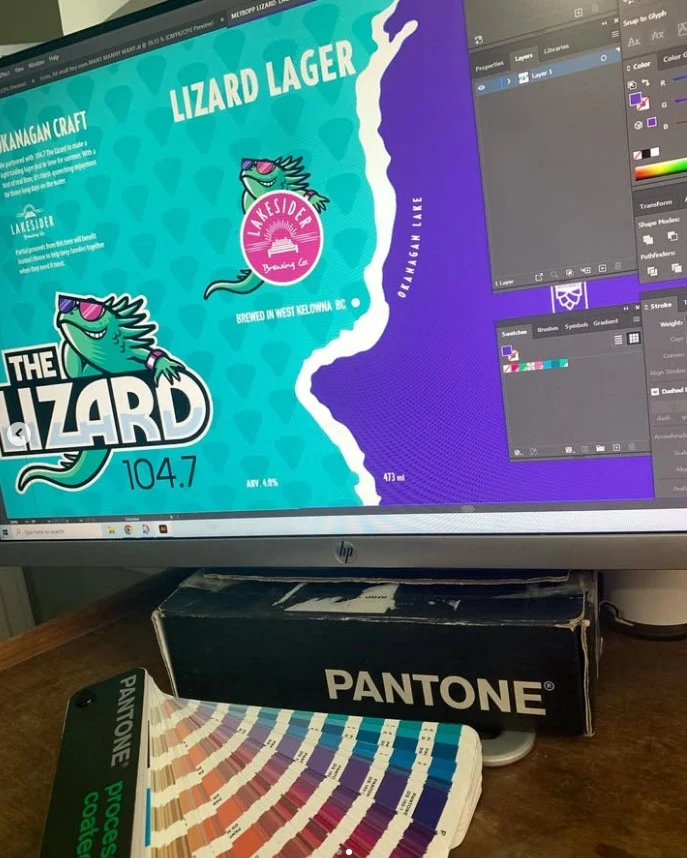
Production work often means setting real type, creating suitable vector elements, sourcing or preparing images and organizing the file so it can be revised.
If a name is misspelled inside a generated image, you need more than a promise that it can be corrected later. If a logo is expected to appear on a small label and a large sign, it needs to be tested in both situations.
This is also the point to check image permissions and whether the visual direction is too close to another brand. A file that opens in design software isn't automatically distinctive or ready to use.
Build around the real production requirements.
Get the supplier's template and specifications. Confirm dimensions, safe areas, bleed and any special requirements for the material or printing method.
Don't estimate a packaging dieline from a photograph. Don't assume that an effect shown on a screen can be reproduced as drawn. Ask what is possible, what it costs and what proof you can review.
Prepare the artwork for the chosen process, then check it again at its actual size. Details that look fine on a large monitor can disappear on a bottle.
Approve the thing you will receive.
Review the final copy, the correct version of the file and the production proof where available. Know who is approving what. A concept approval is not the same as approval to print.
If you've already made something in AI, bring it along with the intended use, source files and supplier information. It can be a useful starting point.
The goal is a result you can change, produce and confidently put into the world.
YOUR NEXT PROJECT
Let's talk about what you need.
Creative strategy, design and the work needed to make it real.
Let's talk ↗